






Integrating Laser Light Moving Head with DMX & Lighting Consoles
- Understanding lighting control protocols and device behavior
- DMX512 fundamentals for moving fixtures
- RDM and why remote device management matters
- Network protocols: Art-Net and sACN for large installs
- Practical integration steps: patching, addressing and console setup
- Understanding the fixture personality and DMX channel mapping
- Physical wiring: topology, termination and cabling
- Console patching and fixture testing
- Safety, compliance and laser-specific considerations
- Laser safety classifications and operational controls
- Regulatory compliance and venue coordination
- Electrical considerations and grounding
- Advanced control techniques, synchronization and troubleshooting
- Using RDM for large fleets and maintenance
- Networked workflows: Art-Net, sACN and console bridging
- Troubleshooting checklist for common issues
- Real-world case study: concert rig integration highlights
- Scenario and constraints
- Implementation highlights
- Outcomes and lessons learned
- Uplus Lighting: capabilities and product alignment
- FAQ
- Q1: Can I control a laser light moving head with any DMX console?
- Q2: When should I use Art-Net or sACN instead of plain DMX?
- Q3: What are the key safety checks for laser moving heads before a show?
- Q4: My moving head jitters on pan/tilt—how do I diagnose it?
- Q5: How can RDM improve my pre-show workflow?
- Q6: Are there recommended practices for long DMX runs to laser moving heads?
In this article I provide a practical, experience-based guide to integrating a laser light moving head into DMX-controlled systems and lighting consoles. I focus on wiring, DMX addressing and channel personalities, networked control (Art-Net/sACN), RDM for remote configuration, safety and compliance, and real-world troubleshooting. The goal is to give lighting technicians, rental companies, and production designers clear, verifiable steps and best practices to deploy laser moving head fixtures reliably in concerts, theaters, TV studios and live events.
Understanding lighting control protocols and device behavior
DMX512 fundamentals for moving fixtures
DMX512 (or simply DMX) remains the baseline control protocol for most moving heads and laser fixtures. It is a unidirectional 250 kbit/s multiplexed protocol that carries 512 channels per universe. For technical background, refer to the DMX512 Wikipedia overview: https://en.wikipedia.org/wiki/DMX512. In practice, a laser light moving head often exposes multiple DMX channels covering pan/tilt, gobo, color, dimmer, shutter, and laser-specific parameters (scan, pattern, power). Understanding the channel map (fixture personality) is essential before patching.
RDM and why remote device management matters
RDM (Remote Device Management) allows bidirectional communication on a DMX line for discovery, addressing, and parameter queries. When your moving head supports RDM (ANSI E1.20), you can remotely set DMX addresses and monitor device status without physically accessing the unit. See the RDM overview: https://en.wikipedia.org/wiki/Remote_Device_Management and the PLASA/ESTA published standard for implementation details: https://tsp.plasa.org/tsp/documents/published_docs.php?doc_id=36.
Network protocols: Art-Net and sACN for large installs
For complex installations or when you need many universes (multiple DMX universes for many laser light moving head fixtures), network protocols such as Art-Net and sACN (Streaming ACN) are common. Art-Net is widely supported on lighting consoles and media servers; sACN is the ANSI standard (E1.31) for streaming DMX over Ethernet. Overview: https://en.wikipedia.org/wiki/Art-Net. For production-level deployments, I recommend planning universe counts and latency budgets up front and testing end-to-end with the intended console and nodes.
Practical integration steps: patching, addressing and console setup
Understanding the fixture personality and DMX channel mapping
The first step is obtaining the official DMX personality chart from the manufacturer for your laser light moving head. Personalities often include a basic 16-24 channel mode and an extended 32-64+ channel mode exposing advanced laser modulation, pixel mapping or scanner controls. I always import the fixture profile into the console (or a lighting software library) and verify channels by observing LED indications and movement when channel values are toggled.
Physical wiring: topology, termination and cabling
Use a daisy-chain topology with quality 110-ohm DMX cable (shielded twisted pair). Terminate the last fixture in the chain with a 120-ohm terminator. If the fixture supports RDM, ensure that all nodes and spiders in the chain are RDM-aware if you plan to use remote configuration. Avoid using microphone XLR cable or unshielded cables for runs longer than a few meters.
Console patching and fixture testing
Patch the fixture on the console by selecting the correct personality and starting address. If RDM is available, use your console or an RDM tool to discover the device and set the address; this eliminates addressing errors. After patching, test basic functions: pan/tilt response, color wheels, gobo changes, laser modulation and safety interlocks. I recommend creating a short test cue stack and logging observed behavior for each channel.
Safety, compliance and laser-specific considerations
Laser safety classifications and operational controls
Laser fixtures require special attention compared to regular moving head LEDs. Laser classification (Class 1, 2, 3R, 3B, 4) determines permissible use and safety measures. General laser safety guidance is available at https://en.wikipedia.org/wiki/Laser_safety. For entertainment lasers, ensure that beam scanning speeds, emergency stops, key-switch protection and interlocks meet local regulations. In many jurisdictions, higher-class lasers require a certified laser operator and a risk assessment.
Regulatory compliance and venue coordination
Before any public performance, coordinate with venue management regarding audience scanning policies, airspace (drones/helium balloon restrictions), and local authority permits. I always document the laser's classification, beam paths, and safety mitigations and submit them to the venue's safety officer. Many large events also require signing off on risk assessments and providing manufacturer specs.
Electrical considerations and grounding
Laser light moving head fixtures can draw significant current—especially models with embedded scanners and high-power diodes. Verify power distribution, inrush current, and ensure fixtures are installed on appropriately rated outlets or power distro. Proper grounding reduces RF noise and DMX errors; avoid running DMX cable alongside high-current power cables when possible.
Advanced control techniques, synchronization and troubleshooting
Using RDM for large fleets and maintenance
RDM simplifies fleet management: you can discover units, set addresses, read temperature and lamp hours, and update firmware remotely. In my experience managing rental stocks, RDM reduces pre-show setup time by 30–50% when used consistently. Note that RDM requires all intermediate nodes and splitters to be RDM-aware to propagate commands reliably.
Networked workflows: Art-Net, sACN and console bridging
For shows with more than the few universes DMX supports physically, convert Art-Net/sACN to DMX using nodes placed near fixture clusters. Ensure multicast and unicast settings on consoles and network switches are configured according to vendor recommendations to avoid packet flooding. For best results, use managed switches that support VLANs and IGMP snooping to contain multicast traffic.
Troubleshooting checklist for common issues
When a laser light moving head misbehaves, follow this checklist I use on-site:
- Confirm DMX address and personality match the console patch.
- Verify cable continuity and termination (use a DMX tester where available).
- Check RDM discovery to identify device conflicts or duplicate addresses.
- Inspect for overheating or fault LEDs—laser and scanner assemblies often have thermal cutoff.
- If networked, confirm Art-Net/sACN universes align and that no firewall or switch setting blocks packets.
| Protocol | Type | Common Use | Notes |
|---|---|---|---|
| DMX512 | Serial (RS-485) | Direct control of fixtures, short runs | 512 channels/universe; physical cabling; see DMX512 |
| RDM (E1.20) | Bidirectional over DMX | Addressing, monitoring, firmware | Requires RDM-aware hardware; useful for fleet management; RDM |
| Art-Net | UDP over Ethernet | Large installs, many universes | Well-supported; see Art-Net |
| sACN (E1.31) | UDP over Ethernet | Standardized streaming DMX | ANSI-standard; scalable and robust for networked shows |
Data sources: DMX512 and Art-Net protocol descriptions from Wikipedia and industry standards pages referenced above.
Real-world case study: concert rig integration highlights
Scenario and constraints
I recently led integration for a mid-size touring concert that used twelve laser light moving head fixtures mixed with moving LED spots and strobes. The primary console was an industry-standard desk with Art-Net output. We needed low-latency pan/tilt response and synchronized laser effects during musical crescendos, and we were constrained by limited rack space for DMX nodes at FOH.
Implementation highlights
We deployed two 8-universe Art-Net to DMX nodes near stage clusters to reduce long DMX runs; enabled RDM for addressing during load-in; and created a dedicated VLAN on the show network to isolate lighting traffic. We also created a small library of macros for laser patterns triggered by the console's timecode for perfect sync with backing tracks. Post-show, we analyzed RDM logs to track lamp hours and any thermal events for maintenance planning.
Outcomes and lessons learned
The hybrid approach (Art-Net distribution + local DMX runs) minimized latency and cable clutter. The decisive factors were: accurate fixture profiles, consistent RDM usage, and early coordination with the venue's network team. I documented lessons learned and updated the touring rig's standard operating procedures to include RDM checks and pre-show network validation.
Uplus Lighting: capabilities and product alignment
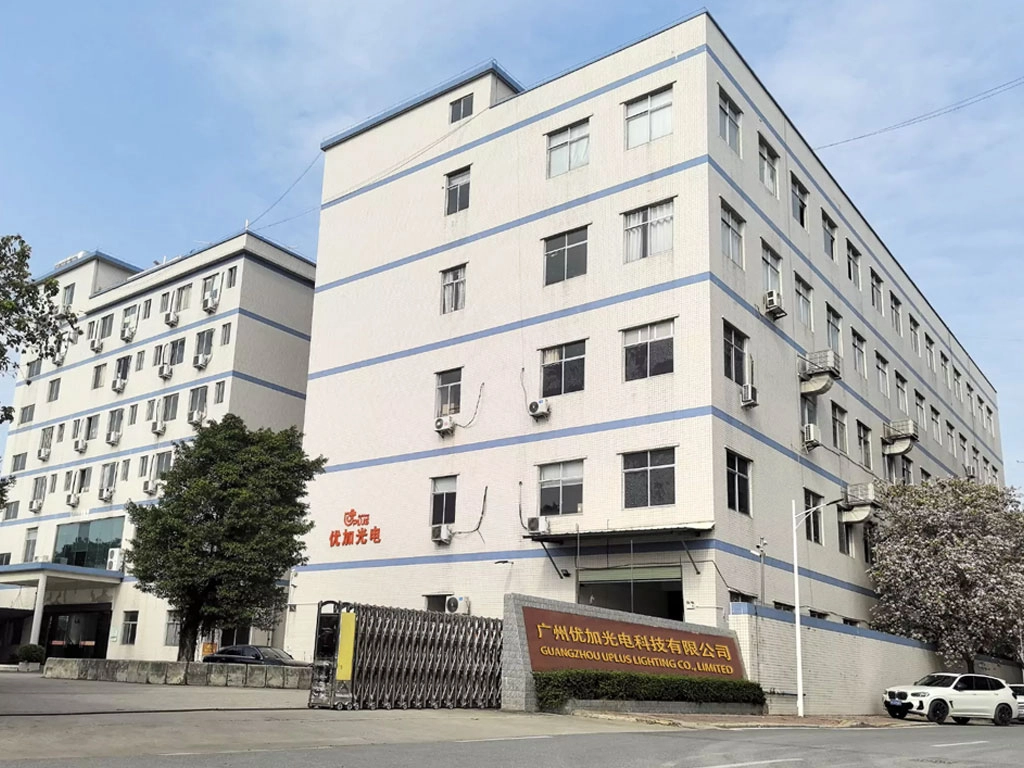
Uplus Lighting was established in 2012 in Guangzhou, China, and is a professional manufacturer specializing in high-end stage lighting products. We provide innovative and reliable lighting solutions for theaters, studios, cultural projects, concerts, and live events worldwide. With rich experience in product development, manufacturing, and export, we offer a wide product range covering professional lighting, entertainment lighting, and theater lighting to meet the needs of large performances, rental companies, distributors, and project clients. Since 2015, our products have been widely applied in major concerts, opera houses, TV programs, and large-scale events in China and abroad. We also support OEM orders and customized product development. A skilled production team and strict quality control ensure stable performance, consistent quality, and professional service trusted by global partners.
For laser light moving head integration, Uplus Lighting provides technical documentation, reliable hardware and firmware, and support for DMX, RDM, and networked protocols. Our main products include moving head lights, strobe lights, led battery lights, static lights, led theatre lights, led follow spot light, stage effect lights, and laser lights. What sets Uplus Lighting apart is our integration-focused approach: we design fixture firmware and mechanical systems to be console-friendly (clear personalities, RDM support), apply robust thermal and electrical design for touring reliability, and deliver consistent photometric performance important for laser shows. Our manufacturing processes and QA produce fixtures with stable output, precise mechanics for repeatable pan/tilt behavior, and compliance documentation to help you meet local laser safety requirements. These strengths make us a competitive partner for rental houses, venues and integrators seeking dependable laser moving head solutions.
FAQ
Q1: Can I control a laser light moving head with any DMX console?
A: Generally yes, if the console supports standard DMX and you have the correct fixture personality patched. For advanced features (laser-specific modulation, pixel mapping), ensure the console supports the extended channel mode or use a media server/lighting software that can output the required channels. If RDM is needed for addressing, check console RDM support or use an RDM tool.
Q2: When should I use Art-Net or sACN instead of plain DMX?
A: Use Art-Net or sACN when you need many DMX universes, when your console or media server outputs over Ethernet, or when you need flexible distribution using network nodes. For small rigs with a few fixtures, traditional DMX cabling is simpler and reliable.
Q3: What are the key safety checks for laser moving heads before a show?
A: Verify the laser classification, ensure interlocks and key switches function, confirm beam paths avoid audience scanning unless permitted, run thermal and fault self-tests, and ensure emergency stops are accessible. Document these checks and, where required, have a certified laser safety officer approve the setup.
Q4: My moving head jitters on pan/tilt—how do I diagnose it?
A: Common causes: noisy DMX signals (bad cable or termination), incorrect universe timing with Art-Net/sACN, mechanical wear or loose encoders, and firmware bugs. Check DMX continuity, reseat connectors, test with another known-good fixture or console, and consult the manufacturer's service guide for encoder calibration.
Q5: How can RDM improve my pre-show workflow?
A: RDM lets you discover devices, set addresses, identify duplicates, read status (temperatures, lamp hours), and sometimes update firmware remotely—reducing hands-on addressing and speeding load-in. Ensure your splitters and nodes support RDM to benefit fully.
Q6: Are there recommended practices for long DMX runs to laser moving heads?
A: Use high-quality 110-ohm shielded DMX cables, avoid running alongside mains cable, keep runs under recommended lengths or use DMX boosters/nodes, terminate the last fixture, and prefer Ethernet distribution (Art-Net/sACN) with local DMX drops when distances are excessive.
If you need product specs, custom firmware options, or project consultation for integrating laser light moving head fixtures into your show, contact Uplus Lighting for technical support, OEM options and quotations. Visit our product pages or reach out to our sales team to discuss requirements and get a tailored solution.
Contact: Uplus Lighting — Technical Sales & Support | Established 2012, Guangzhou, China. For inquiries, OEM/custom orders and technical documentation, please contact our team to arrange a consultation or receive product datasheets.
Top 10 led beam moving head light Manufacturers and Supplier Brands
Moving Head Strobe vs. LED Strobe: Which Suits Your Event?
Top 10 LED Moving Beam Lights for Concerts and Clubs
Best Mini LED Moving Head Lights for Small Venues 2026
About After Sales Support
Customer Feedback & Improvement
Feedback channel: Customers can make suggestions to our sales staff regarding product quality, service experience or functional requirements.
IP-BL300
What is the range of head-tilt angles? Is it flexible to operate?
The head-tilt angle coverage is wide, supporting flexible horizontal and vertical multi-angle scanning. With a professional controller, operation is precise and convenient, allowing for quick switching of dynamic effects.
IP-BL05
Is the laser brightness sufficient? What size space is it suitable for?
The 5W RGB laser has moderate brightness and a clear beam, suitable for small to medium-sized spaces such as courtyards, balconies, and small gathering places.
IP-WASH1980
Is the 6-50° zoom adjustment easy to operate? Can it accurately lock the spot size?
The zoom adjustment is smooth and precise, supporting DMX console or manual setting on a standalone unit. It can quickly lock the desired spot size, adapting to different site requirements.
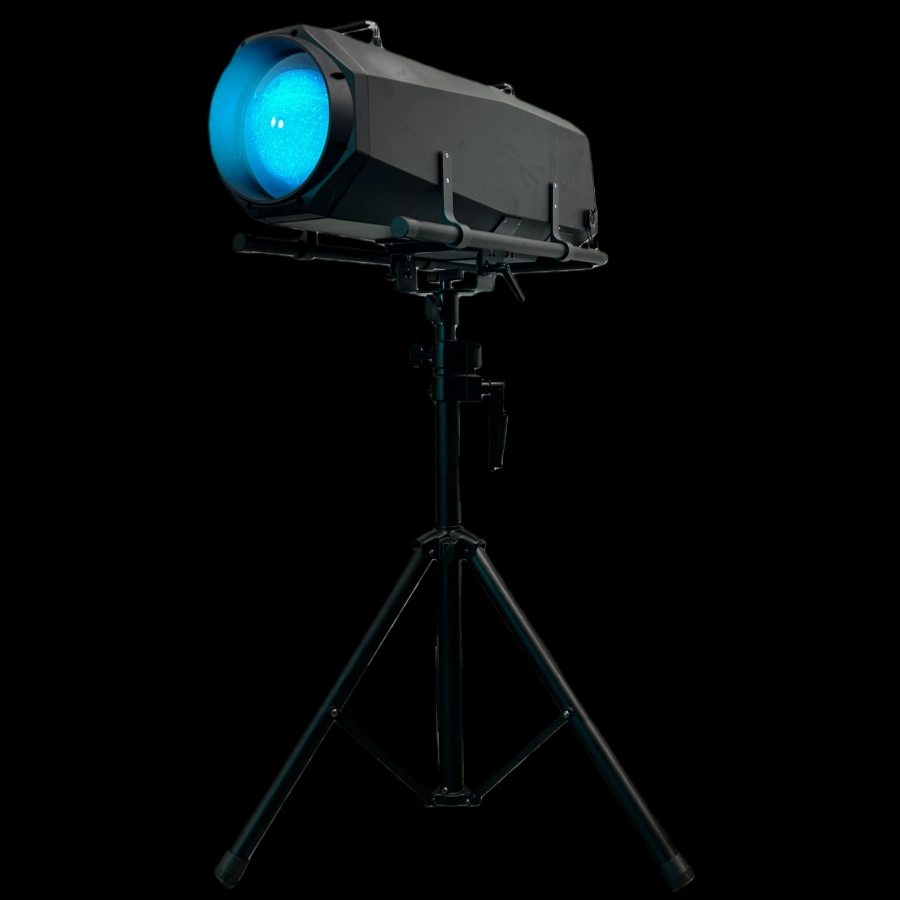
This 1200W waterproof LED follow spotlight with iris adjustment features strong light penetration, precise focusing, and smooth dimming with strobe effects.
Its rain- and dust-resistant design makes it suitable for outdoor performances, concerts, architectural lighting, and other applications. The LED light source boasts a long lifespan and stable, durable operation.
The Waterproof 1200W LED Follow Spot Light with Rotating Gobo features a rotating pattern sheet, delivering a powerful 1200W output for clear, focused beams and precise light tracking. Waterproof for outdoor use in all scenarios, the rotating pattern creates rich visual layers, making it ideal for large-scale indoor and outdoor performances, music festivals, light shows, and other events requiring focused attention and stage effects.
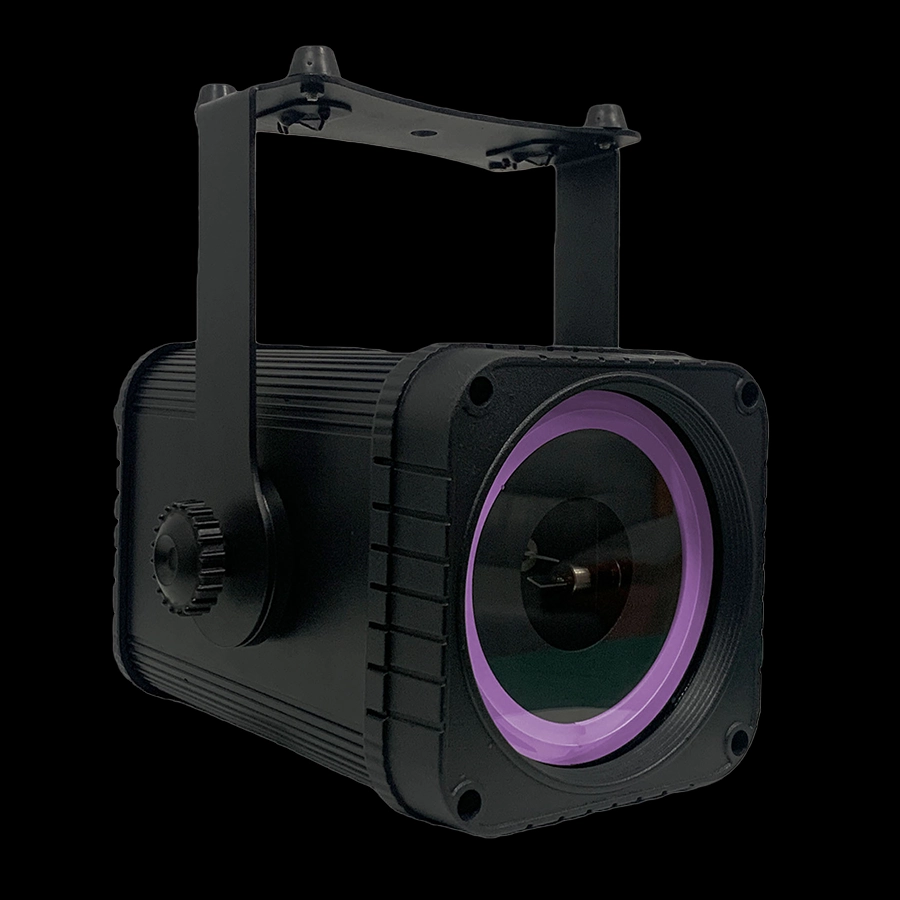
This IP65 waterproof 3W RGB animation laser battery light features an IP65 waterproof and dustproof design, making it suitable for both outdoor and indoor use. It supports rich RGB color combinations and dynamic animation effects, delivering a clear and fluid beam that can display text, patterns, and flowing light and shadow, among other visual representations.
Powered by a built-in battery, it requires no external power source, making it portable, easy to deploy, and simple to operate. Ideal for festive decorations, creating a garden atmosphere, and adding a touch of elegance to small events, it's energy-efficient, durable, and creates a truly immersive ambiance.
This IP65 waterproof 5W RGB animation laser battery light features an IP65 waterproof and dustproof design, making it suitable for both outdoor and indoor use. It supports rich RGB color combinations and dynamic animation effects, delivering a clear and fluid beam that can display text, patterns, and flowing light and shadow, among other visual representations.
Powered by a built-in battery, it requires no external power source, making it portable, easy to deploy, and simple to operate. Ideal for festive decorations, creating a garden atmosphere, and adding a touch of elegance to small events, it's energy-efficient, durable, and creates a truly immersive ambiance.
If you have any comments or good suggestions, please leave us a message, later our professional staff will contact you as soon as possible.
Lighting Innovators
Uplus Lighting is a leading integrated company specializing in R&D, design, production, and sales of stage lighting solutions.
 Scan QR Code
Facebook
Instagram
YouTube
VK