






DMX, RDM & Control Protocols for LED Stage Light Bars
- Understanding Control Protocols for Stage Lighting
- What DMX512 is and why it still matters
- How RDM extends DMX for remote management
- Networked protocols: Art‑Net and sACN for pixel mapping and multi‑universe shows
- Practical Integration with LED Stage Light Bars
- Wiring, signal integrity and termination
- Addressing and pixel mapping on LED bars
- Power and thermal considerations for continuous operation
- Protocol Comparison and When to Use Each
- Latency, jitter and refresh rate considerations
- Implementation Checklist and Best Practices
- Pre‑show checklist
- Maintenance, monitoring and troubleshooting
- Testing tools and procedures
- Uplus Lighting: Expertise, Products and Why It Matters
- FAQ (Frequently Asked Questions)
- 1. Can I use DMX to control individually addressable LED pixels on a bar?
- 2. Do I need RDM for my LED bars?
- 3. Is Cat5/Cat6 acceptable for DMX cabling?
- 4. How do I calculate addresses for a 16‑pixel RGB bar?
- 5. Which is better for large shows: Art‑Net or sACN?
- Contact & Products
As a consultant and product specialist in stage lighting, I frequently see projects stalled not by fixtures but by control strategy. For designers, rental companies and venue technicians working with an LED stage light bar, choosing the right control protocol and implementing it correctly determines whether the bar performs predictably in rehearsals and shows. In this article I break down DMX512, RDM, and the common networked protocols (Art‑Net and sACN), explain practical wiring and addressing patterns, compare capabilities in a clear table, and give an implementation checklist you can apply immediately.
Understanding Control Protocols for Stage Lighting
What DMX512 is and why it still matters
DMX512 is the baseline lighting control protocol used worldwide for conventional and intelligent fixtures. It transmits up to 512 channels (a universe) over an RS‑485 physical layer and is defined historically in the DMX512 standard. For many LED stage light bar applications—simple RGB/RGBW control or basic strobe and dimming—DMX is reliable, low‑latency and widely supported by consoles and dimmers. For a technical primer see the DMX512 Wikipedia entry: https://en.wikipedia.org/wiki/DMX512.
How RDM extends DMX for remote management
Remote Device Management (RDM, ANSI E1.20) is a bidirectional enhancement to DMX that allows configuration, status monitoring and address programming over the same pair of conductors used for DMX data. For LED bars deployed in hard‑to‑reach positions, RDM can save hours by enabling remote addressing, querying temperature or lamp hours (useful for LED drivers), and firmware updates when supported. RDM is not universal on every fixture, so verifying support on the LED driver/decoder is essential. See RDM background here: https://en.wikipedia.org/wiki/Remote_Device_Management and the ESTA published docs page: https://tsp.esta.org/tsp/documents/published_docs.php.
Networked protocols: Art‑Net and sACN for pixel mapping and multi‑universe shows
When LED stage light bars contain multiple pixels per fixture (addressable LEDs) or when a single show requires many universes, DMX wiring becomes impractical. Art‑Net and Streaming ACN (sACN / E1.31) transport DMX data over Ethernet, enabling thousands of channels, universe routing, and low‑latency distribution. Art‑Net is widely supported and lightweight; sACN is an ANSI/ESTA standard designed for robustness in large‑scale deployments. For details: Art‑Net https://en.wikipedia.org/wiki/Art-Net, sACN https://en.wikipedia.org/wiki/Streaming_ACN.
Practical Integration with LED Stage Light Bars
Wiring, signal integrity and termination
For DMX over cable I always recommend using twisted pair cable rated for DMX (DMX512 cable or CAT5/CAT6 with correct pinouts in some cases). Keep runs under recommended lengths (traditional DMX over RS‑485 works reliably up to ~300 meters depending on cable and environment) and use a proper 120Ω termination resistor at the far end to prevent signal reflections. For networked protocols, use standard Ethernet practices (switches rated for gigabit, managed switches for routing universes if needed). Always avoid daisy‑chaining network switches without proper topology planning.
Addressing and pixel mapping on LED bars
Address planning is the most frequent source of errors I see. For a non‑addressable bar (e.g., a 3‑channel RGB bar), you assign one starting address per fixture. For pixel bars (each pixel = 3 or 4 channels), you must calculate channel consumption: a 16‑pixel RGB bar consumes 16x3 = 48 channels per universe. If pixel mapping is required (for video or chase effects), network protocols (Art‑Net or sACN) are often the only feasible approach, since they support multiple universes and higher throughput.
Power and thermal considerations for continuous operation
LED bars are efficient, but they still produce heat. Ensure adequate venting, confirm driver ratings and avoid running multiple bars on undersized power runs. Use a power distribution plan that keeps cable lengths and voltage drop within acceptable limits; consult driver datasheets for maximum input current. For touring, secure power and control connectors against vibration and use loop connections that maintain polarity and grounding integrity.
Protocol Comparison and When to Use Each
Below is a practical comparison table that I use when advising rental houses and production teams. The items are sourced from protocol definitions and widely accepted industry practices.
| Protocol | Transport | Bidirectional? | Best for | Typical limits |
|---|---|---|---|---|
| DMX512 | RS‑485 serial | No (one‑way) | Simple control, single‑universe rigs, conventional LED bars | 512 channels / universe (DMX512) |
| RDM (E1.20) | RS‑485 (over DMX cable) | Yes (management plane) | Remote addressing, diagnostics, firmware updates | Depends on implementation; requires compatible controllers (RDM) |
| Art‑Net | UDP/IP over Ethernet | No (mostly one‑way, some node management available) | Pixel mapping, multi‑universe shows, lighting over Ethernet | Practical thousands of channels; depends on network & hardware (Art‑Net) |
| sACN (E1.31) | UDP/IP over Ethernet | No (one‑way data, supports management overlays) | Large installations, distributed systems, standardized routing | Designed for wide deployment; ANSI standard (sACN) |
Sources: DMX512 and RDM documentation and community best practices (see linked Wikipedia and ESTA pages above). For large installations, consult the official ANSI/ESTA documents before finalizing network architecture: https://tsp.esta.org/tsp/documents/published_docs.php.
Latency, jitter and refresh rate considerations
Latency in DMX is typically low (single digits of milliseconds per refresh); network protocols add small, predictable latencies depending on switch configuration and network load. For video‑like pixel mapping refresh requirements, ensure your console, network and nodes support the framerate you need. When in doubt, benchmark a small patch of fixtures under real show load to verify timing.
Implementation Checklist and Best Practices
Pre‑show checklist
- Confirm fixture firmware and compatibility (DMX, RDM, Art‑Net/sACN).
- Plan addressing: create an address map and label both ends of cables.
- Verify cabling: DMX terminators, correct pinouts, no split spurs on RS‑485 runs.
- For networked control: use managed switches, configure VLANs if needed, and assign static IP addressing to nodes when appropriate.
Maintenance, monitoring and troubleshooting
I recommend enabling RDM where available because it makes fault diagnosis far quicker—devices report their status and allow remote readdressing. Network devices should be monitored using SNMP or a show‑control dashboard when available. Keep spare decoders and short lengths of DMX cable in your kit; many faults are simple cable or connector failures.
Testing tools and procedures
Practical tools I use on site include a handheld DMX tester, an RDM capable controller or dongle, and a laptop with Art‑Net/sACN utilities for mapping universes. If you plan a multi‑universe pixel show, previsualize or record sequences and run them through the exact network topology you'll use on show day.
Uplus Lighting: Expertise, Products and Why It Matters
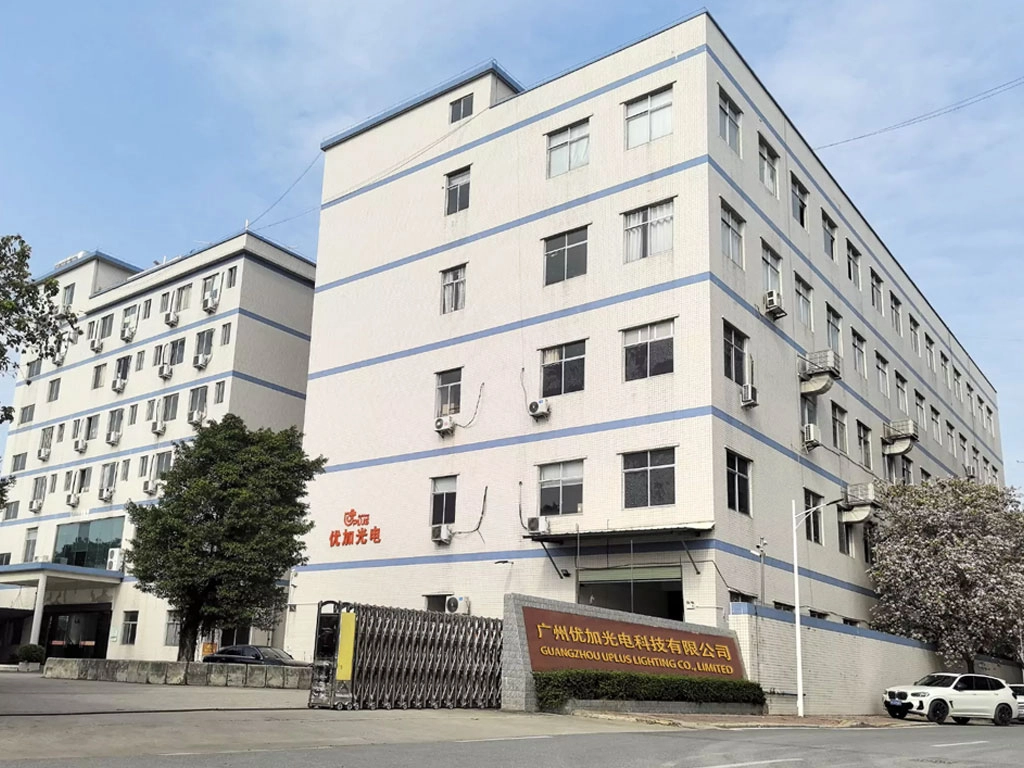
Uplus Lighting was established in 2012 in Guangzhou, China, and is a professional manufacturer specializing in high‑end stage lighting products. We provide innovative and reliable lighting solutions for theaters, studios, cultural projects, concerts, and live events worldwide. With rich experience in product development, manufacturing, and export, we offer a wide product range covering professional lighting, entertainment lighting, and theater lighting to meet the needs of large performances, rental companies, distributors, and project clients. Since 2015, our products have been widely applied in major concerts, opera houses, TV programs, and large‑scale events in China and abroad. We also support OEM orders and customized product development. A skilled production team and strict quality control ensure stable performance, consistent quality, and professional service trusted by global partners.
For projects using LED stage light bar fixtures, Uplus Lighting's strengths are in practical product engineering and post‑sale support. Key product families include moving head lights, strobe lights, led battery lights, static lights, led theatre lights, led follow spot light, stage effect lights, and laser lights. Our experienced R&D and QA teams design fixtures with real‑world touring and installation needs in mind—robust connectors, support for RDM in many driver options, and compatibility with Art‑Net and sACN nodes when pixel control is required.
What differentiates us from many manufacturers is the combination of production discipline (consistent QC from Guangzhou operations), flexible OEM/custom development, and proven deployment records on major shows. If you need fixtures that integrate cleanly into DMX networks or require assistive firmware features for RDM and pixel mapping, we can work with your technical team to ensure compatibility and provide documentation and firmware support.
FAQ (Frequently Asked Questions)
1. Can I use DMX to control individually addressable LED pixels on a bar?
Yes, but with limits. Small pixel counts can fit in a single DMX universe, but for high pixel densities you'll quickly exceed 512 channels. For pixel mapping I recommend Art‑Net or sACN and nodes/decoders that support per‑pixel addressing.
2. Do I need RDM for my LED bars?
RDM is highly recommended for installations where fixtures are hard to reach or when you want remote diagnostics and firmware updates. It is not mandatory for basic shows but saves significant setup time in complex deployments.
3. Is Cat5/Cat6 acceptable for DMX cabling?
Cat5/Cat6 can be used for DMX if you observe correct pair usage and pinouts; however, purpose‑built DMX cable with 120Ω characteristic impedance is optimal for reliability, especially in long runs or electrically noisy environments.
4. How do I calculate addresses for a 16‑pixel RGB bar?
A 16‑pixel RGB bar uses 16×3 = 48 channels. If you start the bar at DMX address 1, it consumes addresses 1–48. The next fixture should begin at address 49, unless you are using pixel mapping over a network protocol.
5. Which is better for large shows: Art‑Net or sACN?
Both are widely used. Art‑Net is very common and well supported; sACN (E1.31) is an ANSI standard with features designed for robust large‑scale deployments. The choice often depends on existing infrastructure and console/network compatibility. For new large installations, I recommend evaluating sACN for its standardized behavior and interoperability.
Contact & Products
If you need help specifying control systems or selecting LED stage light bar models that support DMX, RDM and networked pixel mapping, I can audit your patch and provide a wiring and addressing plan. For ready‑to‑ship fixtures and customization options, see Uplus Lighting's product range or contact our technical sales team to discuss OEM/ODM possibilities and integration support.
Contact us to request datasheets, firmware compatibility matrices, or a custom quote for moving head lights, strobe lights, led battery lights, static lights, led theatre lights, led follow spot light, stage effect lights and laser lights.
Price Bands and Cost Comparison for LED Profile Fixtures
Best Moving Head Lights for Theaters, Clubs, and Houses of Worship
Top 10 bee eye moving head light Manufacturers and Supplier Brands in China
How to Choose Profile Stage Lights for Concerts and Venues
IP-W1820
Can IP65 protection be used in heavy rain and dusty environments?
Yes, it can withstand heavy rain and dust, and operate stably in complex outdoor environments.
IP BEAM 420
What about the beam range and penetration?
With a powerful 420W output, the beam is sharp and strong, with a long range and outstanding penetration.
IP-FP1200 IRIS
Will the performance be affected in strong light environments?
The light source has strong penetrating power, maintaining a clear beam even in strong outdoor light environments, with outstanding brightness in the focused area.
IP-BF60
What environments can IP65 protection handle?
It's dustproof and waterproof, resisting rain, dew, and splashes, making it safe for both indoor and outdoor use.
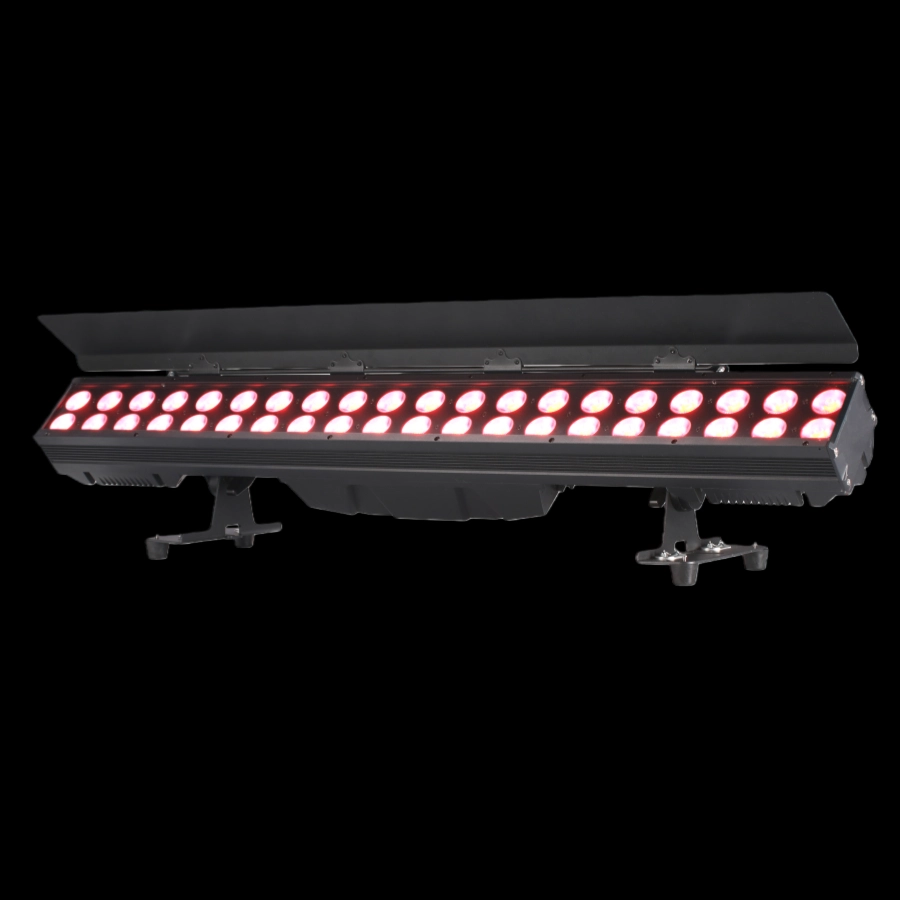
The IP65 two-row 40*10W RGBW led pixel link bar is a high-protection pixel bar light. It adopts a dual-row design with 40 10W RGBW four-in-one LED beads, supports pixel-level independent light control and multi-lamp linkage, and has an IP65 protection rating, making it rainproof and dustproof. It is compatible with DMX512 control and can present rich dynamic light effects, making it suitable for creating linear light and shadow effects in outdoor lighting, stage backgrounds, cultural and tourism landscapes and other scenarios.
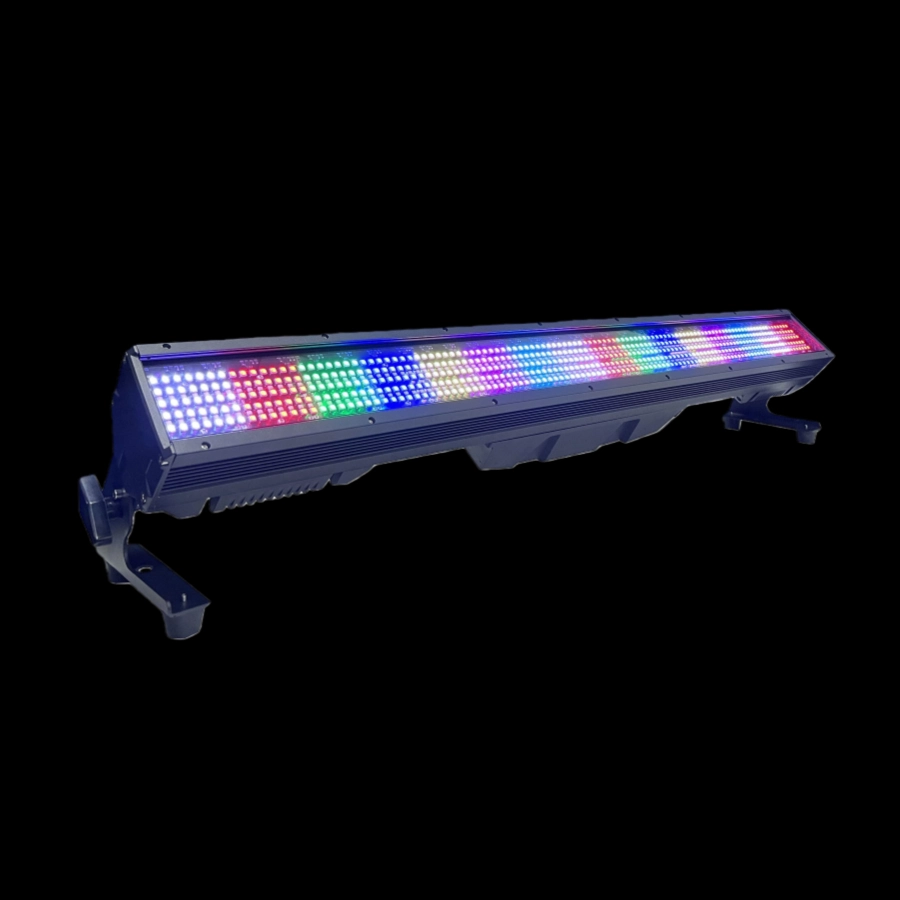
The IP65 waterproof 400W LED Link Strobe bar is a high-protection cascaded strobe light strip equipped with a 400W high-power LED light source. The strobe frequency is adjustable and supports seamless linkage of multiple lights. The IP65 protection rating can withstand outdoor wind, rain, and dust. It is compatible with DMX512 control, easy to install, and suitable for creating dynamic light and shadow in outdoor performances, cultural tourism night tours, architectural lighting and other scenarios.
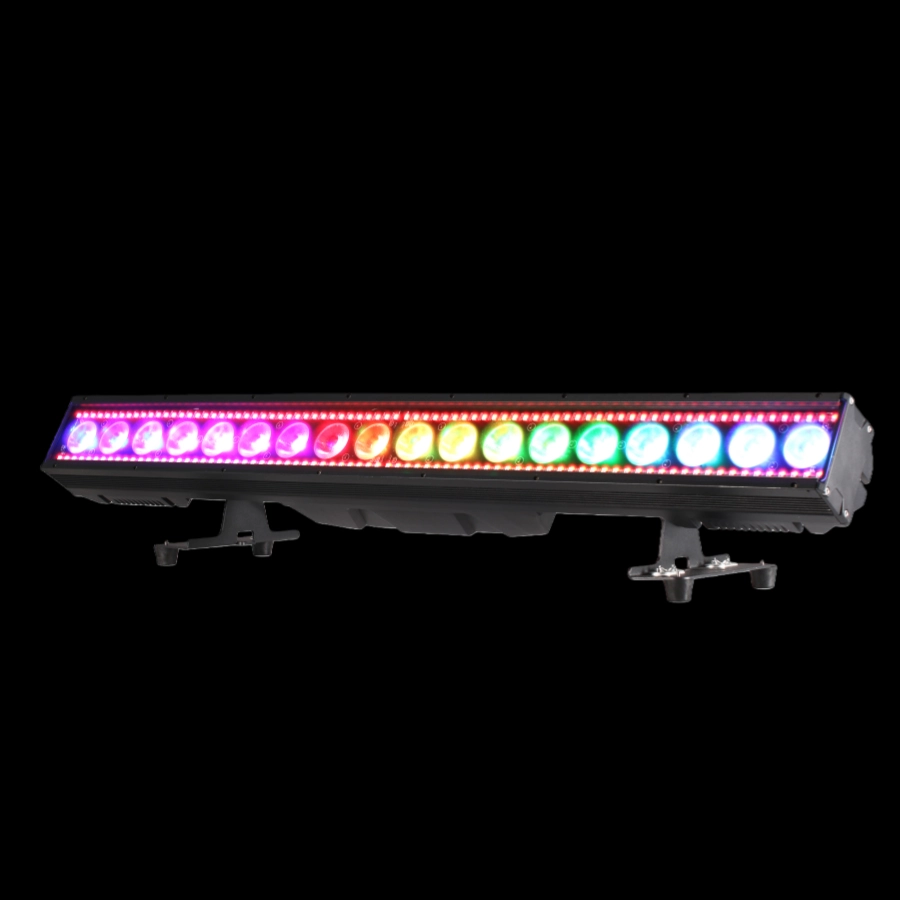
The IP65 waterproof 18*30W RGBWAUV LED pixel bar is a high-performance outdoor pixel bar light. It is equipped with 18 30W RGBWAUV six-in-one LED beads, supports pixel-level independent light control, and can present rich colors and dynamic light effects. With an IP65 protection rating, it is highly dustproof and waterproof, compatible with multiple control modes such as DMX512, flexible splicing and easy installation, and suitable for linear light and shadow shaping in outdoor performances, cultural and tourism lighting, stage backgrounds and other scenarios.
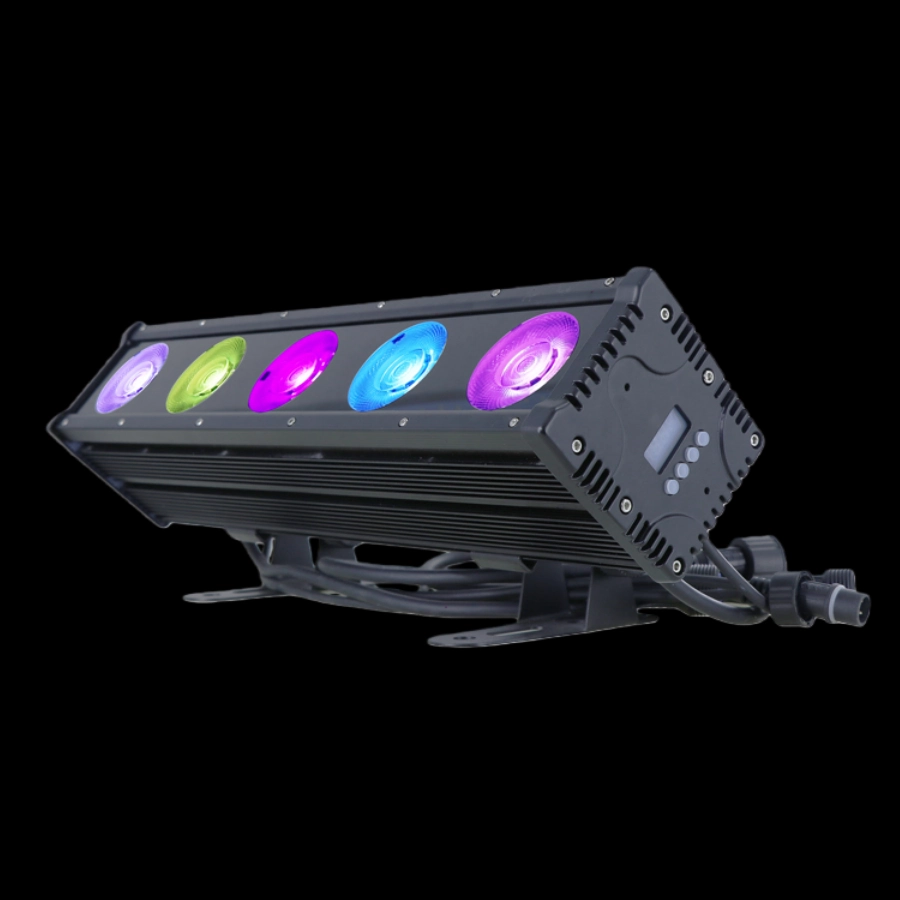
The Outdoor 5x45W COB Pixel BAR is a high-performance outdoor COB pixel light strip, equipped with five 45W RGBW four-in-one COB LEDs, each of which can be independently controlled, resulting in smooth color transitions and abundant brightness. It is IP65 protected against wind, rain, and dust, and supports DMX512/RDM/master-slave control, making it suitable for creative lighting designs in scenarios such as cultural and tourism landscape lighting, dynamic lighting of building facades, and outdoor stage effect lighting.
If you have any comments or good suggestions, please leave us a message, later our professional staff will contact you as soon as possible.
Lighting Innovators
Uplus Lighting is a leading integrated company specializing in R&D, design, production, and sales of stage lighting solutions.
 Scan QR Code
Facebook
Instagram
YouTube
VK