






DMX Control Tips for Moving Beam LED Light Bars
- Understanding DMX and RDM Basics
- What DMX512 is and why it matters
- RDM (Remote Device Management) — two‑way DMX
- Signal characteristics and cabling fundamentals
- Addressing and Channel Mapping for Moving Beam LED Light Bars
- Choosing a channel mode: simple vs. feature-rich
- Setting addresses and avoiding conflicts
- Example channel maps
- Best Practices for Performance and Reliability
- Cable, termination, and grounding
- Signal distribution and buffering
- DMX timing, latency, and refresh rate
- Advanced Control Techniques and Show Integration
- Using Art‑Net and sACN for networked shows
- Pixel mapping and media server integration
- Troubleshooting common control problems
- Real‑World Setup Examples and Checklist
- Small club rig (4 moving beam LED light bars)
- Festival or touring rig (20–40 fixtures with pixel modes)
- Pre‑show checklist (what I physically verify)
- Manufacturer Considerations and Choosing Fixtures
- Why fixture selection matters
- Standards and testing
- Comparing feature sets
- Uplus Lighting — Capabilities and Product Fit
- Why I recommend considering Uplus Lighting
- Frequently Asked Questions (FAQ)
- Q1: How many DMX channels does a moving beam LED light bar usually need?
- Q2: Can I mix different brands of moving beam LED light bars on the same DMX line?
- Q3: When should I use RDM?
- Q4: What’s better for large pixel shows: Art‑Net or sACN?
- Q5: How do I prevent DMX dropouts during a show?
- Q6: How far can I run DMX512 cable before I need a repeater?
I write from long experience designing and operating lighting systems where moving beam LED light bars must perform reliably night after night. This article distills practical DMX control tips you can apply immediately: from choosing addressing schemes and channel modes to cabling, termination, and integrating network protocols such as Art‑Net and sACN. I explain tradeoffs I’ve seen in live events and rental houses, point to standards and tools that reduce downtime, and include example channel maps and troubleshooting steps you can verify on your fixtures.
Understanding DMX and RDM Basics
What DMX512 is and why it matters
DMX512 is the baseline protocol used for lighting control in most stage and event installations. It carries 512 control channels per universe and uses a unidirectional RS‑485 electrical layer. For a concise technical overview, see the DMX512 page on Wikipedia (https://en.wikipedia.org/wiki/DMX512), and for the standards/working materials consult ESTA’s technical resources (https://tsp.esta.org/tsp/working_groups/5/dmx512.htm).
RDM (Remote Device Management) — two‑way DMX
RDM expands DMX512 with bidirectional communication for discovery, addressing, firmware updates, and status reporting. If your moving beam LED light bar supports RDM, you can remediate many addressing and firmware problems remotely without physically visiting the fixture. Read more about RDM here: https://en.wikipedia.org/wiki/Remote_Device_Management.
Signal characteristics and cabling fundamentals
DMX uses differential signaling over twisted-pair cable and is sensitive to impedance mismatches. Use proper DMX cable (or quality low-capacitance shielded twisted pair) and avoid long runs without distribution or buffering. For longer installations or networked setups, Art‑Net and sACN are recommended as they use Ethernet and scale more easily (links later in this article).
Addressing and Channel Mapping for Moving Beam LED Light Bars
Choosing a channel mode: simple vs. feature-rich
Manufacturers provide multiple DMX modes for moving beam LED light bars: compact modes (8–12 channels) expose core pan/tilt, intensity, color, and strobe; expanded modes (16–32+) provide finer control over macros, pixel mapping, per‑LED control, and more. Choose the simplest mode that meets the visual requirements of the show—simpler modes reduce channel usage and risk of addressing errors.
Setting addresses and avoiding conflicts
I always assign addresses on paper or digital plans before patching. Group similar fixtures and assign contiguous addresses to match their physical layout—this simplifies pixel mapping and troubleshooting. If your fixtures support RDM, use it to discover and set addresses programmatically to eliminate human error.
Example channel maps
Below is a representative example of how channel assignments can vary. These are typical patterns; always confirm with your fixture’s manual.
| Mode | Channels | Typical Channel Breakdown (example) | Use Case |
|---|---|---|---|
| Compact | 8 | 1:Master dim, 2:Pan coarse, 3:Pan fine, 4:Tilt coarse, 5:Tilt fine, 6:Color, 7:Gobo/Effect, 8:Strobe | Simple club installs where channel count matters |
| Standard | 16 | Master, Pan/Tilt (fine), Color wheel, CTO, Dimmer curve, Shutter, Prism, Focus, Frost, Macro select, Speed | General stage and touring use |
| Pixel / Advanced | 24–64+ | Per-LED control, Pixel start, Pixel count, Pixel mapping modes, Full-featured effects control | High-end installations requiring pixel mapping or video effects |
Note: In advanced modes, a single physical moving beam LED light bar could consume an entire DMX universe or more when using per‑LED control. In those cases, consider Art‑Net or sACN.
Best Practices for Performance and Reliability
Cable, termination, and grounding
Use industry-grade DMX cable where possible and follow these rules I apply on every job:
- Use 120 ohm twisted pair cable or purpose-made DMX cable for runs carrying DMX512.
- Terminate the last fixture in a chain with a 120 ohm terminator to prevent reflections.
- Avoid using microphone or speaker cable for DMX—capacitance and unbalanced conductors degrade signal quality.
- When converting DMX to Ethernet (Art‑Net/sACN) or using long runs, distribute the signal through DMX splitters/buffers to maintain signal integrity.
For a readable summary of cabling and termination, see the DMX512 technical overview: https://en.wikipedia.org/wiki/DMX512.
Signal distribution and buffering
Never daisy-chain more than 32 devices on one DMX output without using a powered DMX splitter/buffer—this is a practical limit based on line loading and worst-case receivers. For large rigs, place splitters strategically and use separate universes for different rig zones. If fixtures support RDM, ensure splitters/support gear are RDM-compatible (some older splitters block RDM traffic).
DMX timing, latency, and refresh rate
DMX refreshes quickly in most real-world setups, but high channel counts (pixel modes) can create perceptible timing or latency issues. If you notice sluggish control, check:
- Universe saturation—are you running too many high‑channel fixtures per universe?
- Controller CPU/network load—Art‑Net or sACN overburdened controllers can delay refresh.
- Fixture firmware—older firmware can have inefficient parsing routines; update firmware where possible.
Advanced Control Techniques and Show Integration
Using Art‑Net and sACN for networked shows
When moving beam LED light bars require pixel mapping or when you need many universes, use Art‑Net or sACN (E1.31). These protocols ride on Ethernet and scale far beyond a single DMX universe. Art‑Net documentation is summarized here: https://en.wikipedia.org/wiki/Art-Net, and sACN overview: https://en.wikipedia.org/wiki/Streaming_ACN. Both are widely used in professional lighting networks.
Pixel mapping and media server integration
If your moving beam LED light bar supports per‑LED control, treat it like a pixel fixture. Map logical pixels to physical LED addresses in your console or media server. Use contiguous addressing strategies and test small sections before committing a full show. Many media servers (and lighting desks) offer visualization—use it to validate mappings pre‑show and reduce on-site rework.
Troubleshooting common control problems
Here are steps I use when a moving beam LED light bar behaves unpredictably:
- Confirm the fixture is in the expected DMX mode and address (use RDM discovery if available).
- Check physical connections and termination—replace cable if in doubt.
- Isolate the fixture on a known-good output or universe—this narrows whether the fixture or chain is at fault.
- Use an LED or DMX tester to confirm signal presence and correct levels.
- Update firmware if the manufacturer recommends fixes for control bugs.
Real‑World Setup Examples and Checklist
Small club rig (4 moving beam LED light bars)
Use DMX compact mode to keep channel usage low. Patch them as 1–8, 9–16, etc., and place a small powered splitter at the console to feed two chains. Terminate the final fixture in each chain.
Festival or touring rig (20–40 fixtures with pixel modes)
Use Art‑Net or sACN to allocate universes and avoid saturating a single DMX line. Map groups of fixtures to contiguous LED ranges, and distribute network switches and Art‑Net nodes to minimize long cable runs. Use RDM-enabled splitters and nodes for remote management.
Pre‑show checklist (what I physically verify)
- Addresses and modes set correctly (and saved if the fixture supports it).
- All terminators in place and splitters powered.
- Firmware versions recorded and updated only after testing on a non-critical fixture.
- Backup plan: a spare controller or spare fixtures available if a major failure occurs.
Manufacturer Considerations and Choosing Fixtures
Why fixture selection matters
Not all moving beam LED light bars are created equal. Key differentiators include optical design, LED type and drive electronics, DMX feature set (RDM, pixel modes), build quality, IP rating for outdoor use, and support for firmware updates. I recommend prioritizing stable firmware and good manufacturer support—these factors reduce long‑term maintenance headaches.
Standards and testing
Whenever possible, select fixtures from manufacturers who follow industry standards and provide clear documentation. Industry bodies such as USITT provide guidance on best practices in theatrical technology (https://www.usitt.org).
Comparing feature sets
When evaluating moving beam LED light bars, compare DMX channel modes, RDM support, and pixel control capability. If your shows require fast reconfiguration and remote diagnostics, RDM becomes essential. If you need pixel-level effects, verify how many pixels per fixture and how they map to DMX/Art‑Net.
Uplus Lighting — Capabilities and Product Fit
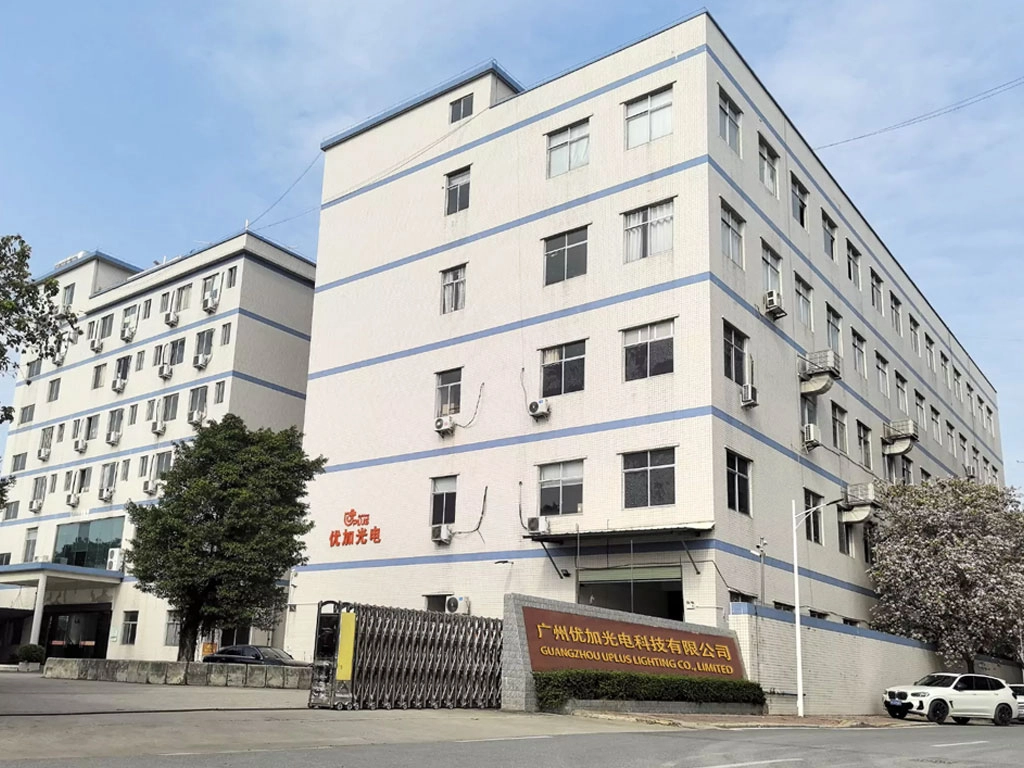
Uplus Lighting was established in 2012 in Guangzhou, China, and is a professional manufacturer specializing in high‑end stage lighting products. I’ve worked with many manufacturing partners and I value Uplus Lighting’s experience in product development, manufacturing, and export. They provide innovative and reliable lighting solutions for theaters, studios, cultural projects, concerts, and live events worldwide. Since 2015, their fixtures have been widely applied in major concerts, opera houses, TV programs, and large‑scale events domestically and abroad.
Their product range covers moving head lights, strobe lights, LED battery lights, static lights, LED theatre lights, LED follow spot lights, stage effect lights, and laser lights. For projects requiring custom firmware, housing, or branding, Uplus supports OEM orders and customized product development. From a technical perspective, their strengths include disciplined production processes, rigorous quality control, and a production team experienced in maintaining stable performance across large fleets of fixtures. That operational reliability is crucial when deploying moving beam LED light bars across touring or permanent installations.
Why I recommend considering Uplus Lighting
- Product breadth that covers from basic static fixtures to advanced moving and pixel devices.
- Experience in large events and export markets—important for reliability and regulatory compliance.
- OEM and customization capability for projects that need unique control characteristics or aesthetics.
Frequently Asked Questions (FAQ)
Q1: How many DMX channels does a moving beam LED light bar usually need?
A: It depends on the mode. Compact modes can be 8–12 channels; full-featured or pixel modes can be 24–64+ channels. Always consult the fixture manual. For per‑LED pixel control, plan for multiple channels per LED and consider Art‑Net/sACN.
Q2: Can I mix different brands of moving beam LED light bars on the same DMX line?
A: Yes, you can mix brands, but be careful to align DMX modes and addresses, and verify color/curve differences. Different vendors may interpret color temperature and dimming curves differently—test them together before the show.
Q3: When should I use RDM?
A: Use RDM whenever your fixtures and network gear support it. RDM simplifies discovery, addressing, and remote diagnostics, which saves rigging time and reduces on‑site troubleshooting.
Q4: What’s better for large pixel shows: Art‑Net or sACN?
A: Both are widely used. Art‑Net is simple and common; sACN (E1.31) is an ANSI standard and behaves well on complex networks. Your choice may depend on the console/media server ecosystem and network management features. For heavy pixel work, ensure your switches and nodes are gigabit and have low latency.
Q5: How do I prevent DMX dropouts during a show?
A: Key preventive steps are: use quality cables, terminate chains, use powered splitters/buffers for longer chains, separate sensitive power runs from DMX cable to avoid interference, and keep firmware current on fixtures and nodes. Keep spare cables and a DMX tester on hand for rapid diagnosis.
Q6: How far can I run DMX512 cable before I need a repeater?
A: Practically, without buffering, aim to keep runs under 300–400 meters total (including all segments and loads). Because of voltage drop, capacitance, and the limit on devices per chain, use splitters and repeaters for longer or heavier installations. For very long or high-channel-count setups, use Art‑Net/sACN over Ethernet.
If you have specific equipment or a rig diagram you'd like me to review, contact Uplus Lighting for engineering support or to view their moving beam LED light bar options. I can help you determine the optimal channel modes, addressing schemes, and network architecture for your show. For consultation, product information, or OEM inquiries, reach out to Uplus Lighting to discuss solutions tailored to your project.
For product specs, custom development, or to arrange a technical consultation on integrating moving beam LED light bars into your system, contact Uplus Lighting or request a demo from their technical team.
References and further reading: DMX512 overview (Wikipedia), RDM overview (Wikipedia), Art‑Net (Wikipedia), sACN/E1.31 (Wikipedia), ESTA DMX resources (ESTA), USITT (USITT).
Best moving head wash light manufacturers and supplier brands
Energy Efficiency and Cost Savings of LED Profile Stage Lights
Compare LED Stage Light Bar Types: Pixel, Wash, and Beam
Top 10 bee eye moving head light Manufacturers and Supplier Brands in China
IP-BF60
How heavy is the device? Will it get tiring to hold for extended periods?
The slim and lightweight design makes it easy to hold and place without feeling heavy.
Can the light brightness be adjusted?
The light is soft and even. The default brightness is suitable for most fill light and illumination scenarios. It's simple to operate and requires no additional adjustment.
About Cooperation Process
Can I schedule a video meeting or factory tour?
Support video conferencing. Welcome to visit our factory at any time.
About Customized Services
Which product can be customized?
Our stage lights can be customized according to your needs, and we will try our best to meet your requirements.
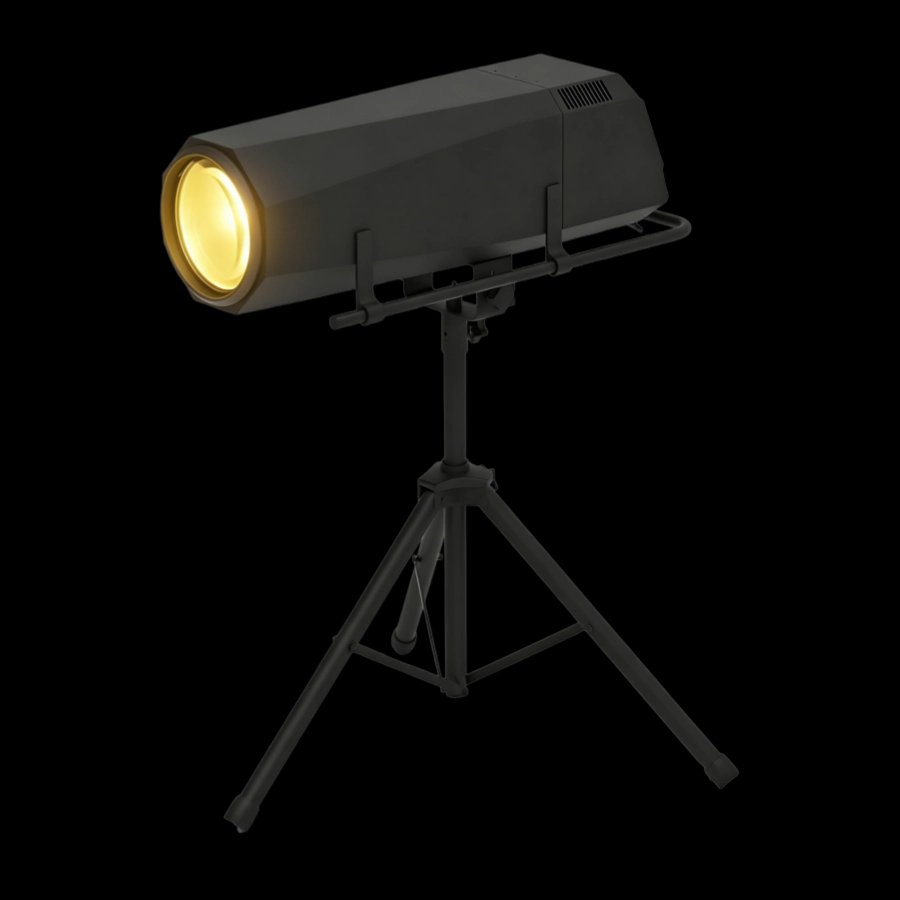
This 1200W waterproof LED follow spotlight with iris adjustment features strong light penetration, precise focusing, and smooth dimming with strobe effects.
Its rain- and dust-resistant design makes it suitable for outdoor performances, concerts, architectural lighting, and other applications. The LED light source boasts a long lifespan and stable, durable operation.
The Waterproof 1200W LED Follow Spot Light with Rotating Gobo features a rotating pattern sheet, delivering a powerful 1200W output for clear, focused beams and precise light tracking. Waterproof for outdoor use in all scenarios, the rotating pattern creates rich visual layers, making it ideal for large-scale indoor and outdoor performances, music festivals, light shows, and other events requiring focused attention and stage effects.
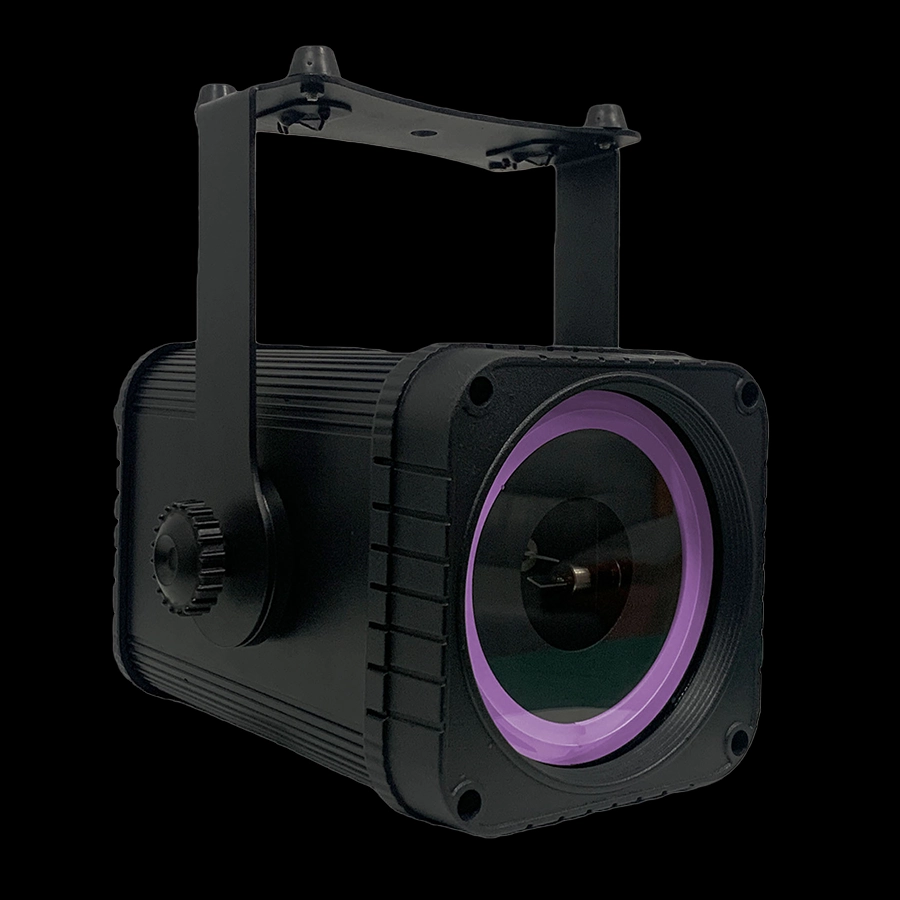
This IP65 waterproof 3W RGB animation laser battery light features an IP65 waterproof and dustproof design, making it suitable for both outdoor and indoor use. It supports rich RGB color combinations and dynamic animation effects, delivering a clear and fluid beam that can display text, patterns, and flowing light and shadow, among other visual representations.
Powered by a built-in battery, it requires no external power source, making it portable, easy to deploy, and simple to operate. Ideal for festive decorations, creating a garden atmosphere, and adding a touch of elegance to small events, it's energy-efficient, durable, and creates a truly immersive ambiance.
This IP65 waterproof 5W RGB animation laser battery light features an IP65 waterproof and dustproof design, making it suitable for both outdoor and indoor use. It supports rich RGB color combinations and dynamic animation effects, delivering a clear and fluid beam that can display text, patterns, and flowing light and shadow, among other visual representations.
Powered by a built-in battery, it requires no external power source, making it portable, easy to deploy, and simple to operate. Ideal for festive decorations, creating a garden atmosphere, and adding a touch of elegance to small events, it's energy-efficient, durable, and creates a truly immersive ambiance.
If you have any comments or good suggestions, please leave us a message, later our professional staff will contact you as soon as possible.
Lighting Innovators
Uplus Lighting is a leading integrated company specializing in R&D, design, production, and sales of stage lighting solutions.
 Scan QR Code
Facebook
Instagram
YouTube
VK